Assistive technology options can transform your daily life, empowering you to overcome challenges and boost productivity. You'll find voice memo apps for easy audio note-taking, text-to-speech software to access written content, and concept mapping programs for visual organization. Screen overlays and filters enhance digital readability, while note-taking tools capture and process information efficiently. Reading assistance technologies and organization apps help manage tasks and deadlines. Modern devices offer built-in accessibility features, catering to various needs with customizable settings. These tools support individuals with disabilities, reduce stress, and improve overall quality of life. Explore further to discover which options best suit your unique requirements.
Voice Memo Applications
With voice memo applications, you're able to easily record and store audio notes on your smartphone, making it a convenient tool for capturing ideas, reminders, or important information on the go. These assistive technology tools offer a range of features that can benefit users with various needs, including those who are visually impaired or have learning disabilities.
Popular apps like Voice Record Pro and Otter.ai provide transcription services, allowing you to convert your spoken words into text. This feature is particularly helpful for reviewing and organizing your thoughts later.
You'll also find options for categorizing and sharing your recordings, making it simple to collaborate with others or access your notes across different devices.
Voice memo applications can be invaluable for students recording lectures, professionals documenting meetings, or anyone who wants to preserve fleeting thoughts. The ability to access your memos from anywhere guarantees you never miss an important detail.
Whether you're managing a busy schedule, dealing with memory challenges, or simply prefer auditory learning, these apps offer a user-friendly solution to enhance your productivity and organization.
Text-to-Speech Software
Today, you'll find Text-to-Speech software revolutionizing how people with reading difficulties or visual impairments access written content. This assistive technology converts written text into spoken words, opening up a world of digital content, emails, documents, and web pages to those who might otherwise struggle.
You'll be pleased to know that there are several popular Text-to-Speech options available, including Dragon NaturallySpeaking, Office 365 Dictate, Apple/Mac Voice Recognition, and Quillsoft WordQ. These tools can be integrated into various devices and platforms, giving you flexibility in how you use them.
One of the great advantages of Text-to-Speech software is its customizability. You can adjust settings like voice, speed, and other preferences to create a personalized experience that works best for you. This level of customization ensures that you're maximizing the benefits of this assistive technology.
Concept Mapping Programs

Moving from spoken words to visual representations, you'll find concept mapping programs like C-Map and XMind to be powerful tools for organizing information and ideas in a graphical format. These assistive technologies allow you to create diagrams, flowcharts, and visual representations of concepts on your digital devices. By using these programs, you'll enhance your ability to brainstorm, plan, and structure thoughts for better understanding.
Concept mapping tools offer several benefits:
- Visual organization of complex ideas
- Customizable colors, shapes, and connections
- Versatile applications for students, professionals, and individuals
You'll appreciate the flexibility these programs provide in tailoring your maps to suit your specific needs. Whether you're a student organizing study materials, a professional planning a project, or simply someone looking to structure your thoughts, concept mapping software can help you achieve your goals.
As you explore these visual organization tools, you'll discover how they can transform abstract ideas into concrete, easy-to-understand visual representations. By leveraging the power of concept mapping programs, you'll be able to better grasp complex information, improve your planning processes, and enhance your overall productivity in various aspects of your life.
Screen Overlays and Filters
You'll find screen overlays and filters to be invaluable tools for enhancing digital readability and reducing visual stress. These assistive technology solutions come in both software and physical forms, catering to various needs and preferences.
Software-based screen overlays, like Beeline Reader, utilize color gradients to guide your eyes and improve focus while reading digital content. This innovative approach can greatly enhance your reading experience, especially if you struggle with visual processing difficulties.
For those who prefer a tangible solution, physical screen overlays such as the Crossbow Dyslexia/Visual Stress Aid can be directly applied to your screen. These overlays work to reduce visual discomfort and make reading more comfortable.
If you're using Windows 10, you'll be pleased to know that it offers built-in color filters. These filters allow you to adjust screen colors to suit your visual sensitivities, providing a customizable solution right at your fingertips.
Screen overlays and filters are particularly beneficial if you have dyslexia, visual stress, or other visual processing challenges. By incorporating these assistive technology tools into your daily routine, you can greatly improve your digital reading experience and reduce eye strain.
Note-Taking Tools
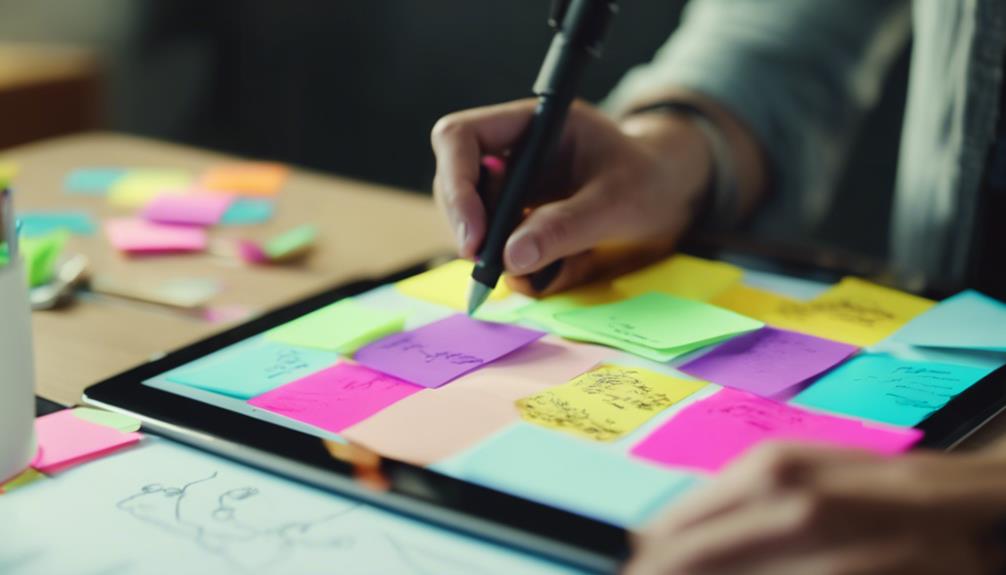
Efficiency and accessibility converge in modern note-taking tools, offering a variety of options to suit different learning styles and needs. As part of assistive technology, these tools can greatly enhance your ability to capture and process information.
Voice memo apps on your phone or specialized applications like Voice Record Pro provide simple yet effective ways to record and review information. For more advanced features, you might consider:
- Otter.ai or Live Scribe Smartpen for transcription and organization
- Printable Livescribe Notebooks for combining handwritten notes with digital capabilities
- Text-to-speech software like Dragon NaturallySpeaking for converting spoken words to text
These note-taking tools cater to various preferences and requirements, ensuring you can find a method that works best for you. If you struggle with traditional note-taking, text-to-speech software can be particularly helpful, allowing you to dictate your thoughts and have them immediately transcribed.
For those who prefer visual organization, concept mapping tools such as C-Map and XMind offer structured approaches to note-taking. These applications allow you to create visual representations of ideas and connections, helping you to better understand and retain information.
Reading Assistance Technologies
For individuals with visual impairments or reading difficulties, reading assistance technologies offer a range of tools to enhance accessibility and comprehension of written content. These innovative solutions can greatly improve your ability to engage with text in various formats.
One of the most versatile options is screen reading software, which converts digital text to speech. This technology allows you to listen to written content, making it easier to navigate websites, documents, and e-books.
For those who prefer tactile reading, Braille displays provide a unique solution by translating digital text into Braille, enabling you to read electronic content through touch.
If you have low vision, magnifiers can be incredibly helpful. These tools enlarge text and images on screens or printed materials, making them more legible and reducing eye strain.
Additionally, Optical Character Recognition (OCR) technology can scan printed text and convert it into digital format, which can then be read aloud using text-to-speech systems.
For everyday tasks, talking devices like thermostats offer auditory information, ensuring you can access essential written content without visual cues.
Organization and Planning Apps

With the right organization and planning apps, you're empowered to manage your daily tasks, appointments, and deadlines more effectively, regardless of your specific challenges. These assistive technology tools are designed to help people with disabilities stay organized and on track, offering features like customizable task lists, reminders, and calendar integrations.
Popular organization and planning apps such as Trello, Todoist, and Google Calendar can be incredibly beneficial for individuals with ADHD, executive functioning challenges, or memory impairments. These apps allow you to:
- Create and prioritize tasks
- Set up notifications and alerts
- Integrate with other productivity tools
By using these apps, you'll be able to stay on top of your responsibilities and reduce the stress associated with forgetting important events or deadlines. The ability to customize notifications ensures that you're reminded of tasks and appointments in a way that works best for you.
Organization and planning apps are an essential part of assistive technology, providing valuable support for people with disabilities in managing their daily lives. With these tools at your fingertips, you can improve your productivity, reduce anxiety, and feel more in control of your schedule.
Accessibility Features in Devices
While organization apps can boost productivity, modern devices come packed with built-in accessibility features that'll make your digital life much easier. These features cater to a wide range of needs, guaranteeing that everyone can interact with their devices comfortably.
For those with visual impairments, you'll find screen readers, magnifiers, and voice commands at your fingertips. You can also customize text size, contrast, and color schemes to suit your preferences. If you have hearing challenges, closed captioning, speech-to-text, and haptic feedback are there to support you.
Mobility issues? No problem. Switch control, voice recognition, and gesture-based navigation offer alternative input methods. Plus, many devices are compatible with external assistive technology like braille displays and adaptive keyboards.
| Impairment Type | Accessibility Features |
|---|---|
| Visual | Screen readers, Magnifiers |
| Hearing | Closed captioning, Haptic feedback |
| Mobility | Switch control, Voice recognition |
| Cognitive | Simplified interfaces, Text-to-speech |
| Dexterity | Gesture controls, On-screen keyboards |
These built-in accessibility features, combined with external assistive technology options, guarantee that your devices can adapt to your unique needs. By exploring and utilizing these tools, you'll access a more inclusive and user-friendly digital experience.
Frequently Asked Questions
What Are 5 Examples of Assistive Technology?
You'll find many assistive technology options to help with daily tasks. Here are five examples: screen reading software, wheelchairs, voice amplification systems, memory aids, and adapted kitchen tools. These can greatly improve your independence and quality of life.
What Are the Three Types of Assistive Technology?
Oh, you're finally asking about assistive technology? How quaint! You'll be thrilled to know there are three main types: vision, hearing, and speech communication devices. They're not just gadgets; they're life-changers for those who need them.
What Are 5 Assistive Devices Used for Mobility?
You'll find five common mobility assistive devices: wheelchairs, walkers, canes, crutches, and scooters. Each serves a unique purpose, helping you or your loved ones maintain independence and mobility based on specific needs and abilities.
What Assistive Technology Is Available?
While you might think assistive technology is limited, you'd be surprised. It's vast, including vision aids like magnifiers, hearing devices such as amplifiers, speech tools, cognitive support systems, and mobility equipment like wheelchairs. There's something for various needs.
Conclusion
You've now uncovered a world of assistive technology that can transform your life in unimaginable ways. From voice memos to organization apps, these tools are like having a million personal assistants at your fingertips.
Don't hesitate to explore and experiment with different options. Remember, technology is constantly evolving, so stay curious and open to new possibilities.
With the right assistive tech, you'll be unstoppable in achieving your goals and overcoming challenges.
Related guides: Learn About User-Friendly Browsers · Explore Computer Options for Seniors · Osteoporosis and Exercise