When exploring computer options for seniors, you'll find devices tailored to meet specific needs and comfort levels. Chromebooks offer a simplified interface and affordability, while tablet-keyboard combos provide flexibility and user-friendliness. Desktop computers offer stability and larger screens for those with visual impairments. Consider accessibility features like screen readers and ergonomic designs. Look for large, high-resolution displays and keyboards with tactile feedback. Prioritize user-friendly interfaces and easy navigation. Whether it's basic tasks like email or more intensive applications, there's a suitable option for every senior. Discover which device best fits your unique requirements and preferences.
Understanding Senior Computing Needs
There are five key factors you'll need to take into account when selecting a computer for seniors, beginning with their specific needs and tech comfort level. Seniors typically require computers for basic tasks like email, web browsing, and social media access. It's important to understand these needs to provide the most suitable solution.
When considering technology for seniors, prioritize user-friendly interfaces that allow easy navigation. This is especially important for elderly users who may not be as tech-savvy as younger generations. Simple, intuitive designs can greatly enhance their computing experience and encourage regular use.
Affordability is another essential factor. Consider options like Chromebooks or tablet-keyboard combos, which offer a balance of functionality and cost-effectiveness. Chromebooks are particularly appealing due to their quick boot times, built-in virus protection, and seamless integration with Google services.
For those who prefer a more tablet-like experience, iPads and similar devices provide user-friendly interfaces, fast app loading, and excellent email and word processing capabilities. These options can be ideal for seniors who want a portable, easy-to-use device for their computing needs.
Chromebooks for Simplified Use
When considering user-friendly computing options for seniors, Chromebooks stand out as an excellent choice due to their simplified interface and ease of use. These devices offer a straightforward computing experience that's perfect for older adults who want to stay connected without the complexities of traditional laptops.
Chromebooks run on Chrome OS, which seamlessly integrates with Google services and provides automatic security updates. This means you'll have peace of mind knowing your device is protected without any extra effort on your part.
What's more, Chromebooks are budget-friendly, typically ranging from $200 to $400, making them a cost-effective option for seniors on fixed incomes.
One of the biggest advantages of Chromebooks is their low-maintenance nature. With quick boot times and resistance to viruses, these devices are hassle-free and reliable.
For example, the Lenovo Duet Chromebook offers versatility as a 2-in-1 device with a detachable keyboard, up to 10 hours of battery life, and smooth multitasking capabilities. This adaptability caters to various needs, whether you're browsing the web, video chatting with family, or managing your daily tasks. Chromebooks truly offer a simplified computing experience tailored for seniors.
Tablet-Keyboard Combos

You'll often find that tablet-keyboard combos offer the best of both worlds for seniors seeking a versatile computing solution. These devices combine the portability of a tablet with the functionality of a laptop, making them an excellent choice for older adults who value both mobility and productivity.
One of the key advantages of tablet-keyboard combos is their flexibility. You can easily detach or attach the keyboard, allowing you to switch between tablet and laptop modes seamlessly. This versatility is particularly beneficial for seniors who prefer touchscreen navigation but still need a physical keyboard for typing longer documents or emails.
These combos are designed with user-friendliness in mind, catering to seniors who may have varying levels of tech-savviness. The touchscreen interface provides an intuitive way to interact with apps and browse the internet, while the keyboard offers a familiar typing experience when needed.
For seniors looking to strike a balance between portability and functionality in their computing devices, tablet-keyboard combos are worth considering. They provide the convenience of a tablet for casual use and the practicality of a laptop for more intensive tasks, all in one compact package.
Desktop Computers for Seniors
For seniors seeking a reliable and powerful computing solution, desktop computers offer several advantages over their more portable counterparts. These stationary devices provide a stable platform for various tasks, from word processing to graphic design and video editing. Unlike laptops or tablets, desktop computers offer easy access for repairs and upgrades, making them a smart long-term investment for seniors.
One of the key benefits of desktop computers for seniors is their larger screens, which can be especially helpful for those with visual impairments. The traditional setup of a desktop also includes a physical keyboard and mouse, providing a familiar and comfortable interface for navigation and input. This can be particularly advantageous for seniors who may struggle with touchscreen technology.
Desktop computers offer a reliable way for seniors to stay connected, productive, and entertained without worrying about battery life. Their powerful performance and stability make them ideal for everyday tasks and more demanding applications. While they may lack portability, desktop computers provide a consistent, user-friendly experience that many seniors appreciate, especially those who prefer a dedicated workspace for their computing needs.
Accessibility Features to Consider
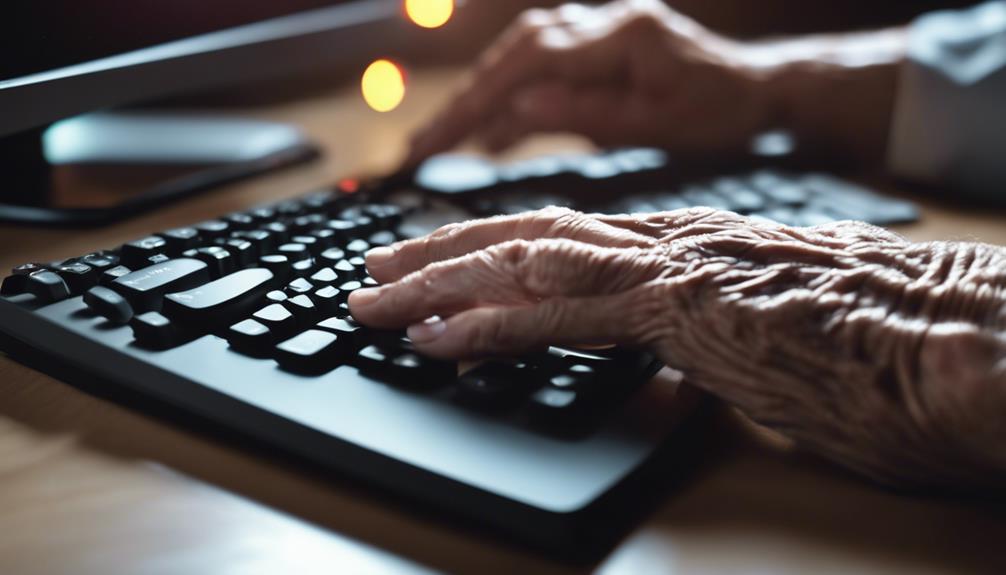
When it comes to desktop computers and their benefits for seniors, it's important to take into account specific accessibility features that can enhance their comfort and efficiency even further. Large, high-resolution displays are a key consideration, as they can greatly aid seniors with visual impairments. Look for computers that offer adjustable font sizes and contrast settings, allowing users to customize their viewing experience for best readability.
Built-in accessibility features are another essential aspect to think about. Many modern computers come equipped with:
- Screen readers for those with severe visual impairments
- Voice commands for hands-free operation
- Ergonomic designs for improved comfort during extended use
Don't overlook the importance of input devices. Keyboards with tactile feedback and larger keys can make typing easier and more comfortable for seniors. Additionally, prioritize computers with easy-to-reach ports to simplify connecting peripherals and accessories.
Recommended Senior-Friendly Devices
Let's explore some excellent computer options that are specifically tailored for seniors' needs and preferences.
The Lenovo Chromebook 3 14 Touch Laptop is an excellent choice, offering up to 10 hours of battery life and the user-friendly Chrome OS.
If you're looking for a desktop solution, the HP – 24 Touch-Screen All-in-One with Adjustable Height combines a fast processor with an adjustable monitor, making it easy to find a comfortable viewing position.
For those who prefer a tablet, the Apple – 10.9-Inch iPad Air comes highly recommended for older individuals, offering a simple interface and excellent portability.
If you need more power, the HP Pavilion Desktop delivers serious performance with its AMD Ryzen 7 processor and 16GB memory, perfect for multitasking and running demanding applications.
Lastly, the Acer Chromebook 315 – 15.6 HD Display Laptop is another great option for seniors, featuring a long-lasting battery life, fast wireless connectivity, and an HDR camera for clear video calls with family and friends.
These devices offer a range of options to suit different needs and preferences, ensuring that seniors can find a computer that's both powerful and easy to use.
Frequently Asked Questions
What Is the Easiest Computer for Seniors to Use?
You'll likely find Chromebooks to be the easiest computers for seniors. They're simple to use, boot up quickly, and offer voice commands. Plus, they're budget-friendly and integrate seamlessly with Google services you might already use.
What Is the Best Computer Operating System for Seniors?
The best operating system for you as a senior depends on your needs. Windows is familiar, macOS is user-friendly, Chrome OS is simple, and Android offers tailored apps. Consider ease of use, accessibility features, and compatibility with your desired applications.
What Is the AARP Computer Program for Seniors?
Imagine a digital bridge connecting generations. The AARP computer program for seniors, in partnership with Senior Planet, offers you free tech training and resources. You'll learn about cybersecurity, social media, and online shopping through classes, tutorials, and webinars.
What Is the Best Computer Tech Support for Seniors?
You'll find the best tech support for seniors through specialized services like Geek Squad's Senior Support or AARP's tech resources. Don't forget local community centers and remote assistance options that allow family members to help you from afar.
Conclusion
As you explore these senior-friendly computing options, you'll find a world of possibilities opening up.
But there's more at stake than just choosing a device. It's about empowerment, connection, and staying relevant in a digital age.
The right computer can be a gateway to new experiences, relationships, and knowledge.
So, as you make your decision, remember: you're not just selecting a machine. You're accessing a new chapter in your life. Choose wisely.