Choosing the best e-reader for seniors in 2026 comes down to three things: a glare-free e-ink screen that won’t strain your eyes, adjustable fonts that grow as large as you need, and a battery that lasts for weeks. Get those three right and everything else falls into place.
Key Takeaways
- Eye strain and heavy print books are among the most common reading complaints for older adults — problems an e-reader solves on day one.
- Modern e-readers let you enlarge fonts to very large sizes, and warm-light technology is designed to reduce blue light compared to standard backlit screens.
- The Libby app connects e-readers to more than 16,000 public library systems worldwide, giving seniors free access to thousands of titles without leaving home.
- Top-rated e-readers weigh as little as 174 grams — lighter than most paperbacks — and last four to ten weeks on a single charge.
Why Are E-Readers Such a Game-Changer for Seniors in 2026?
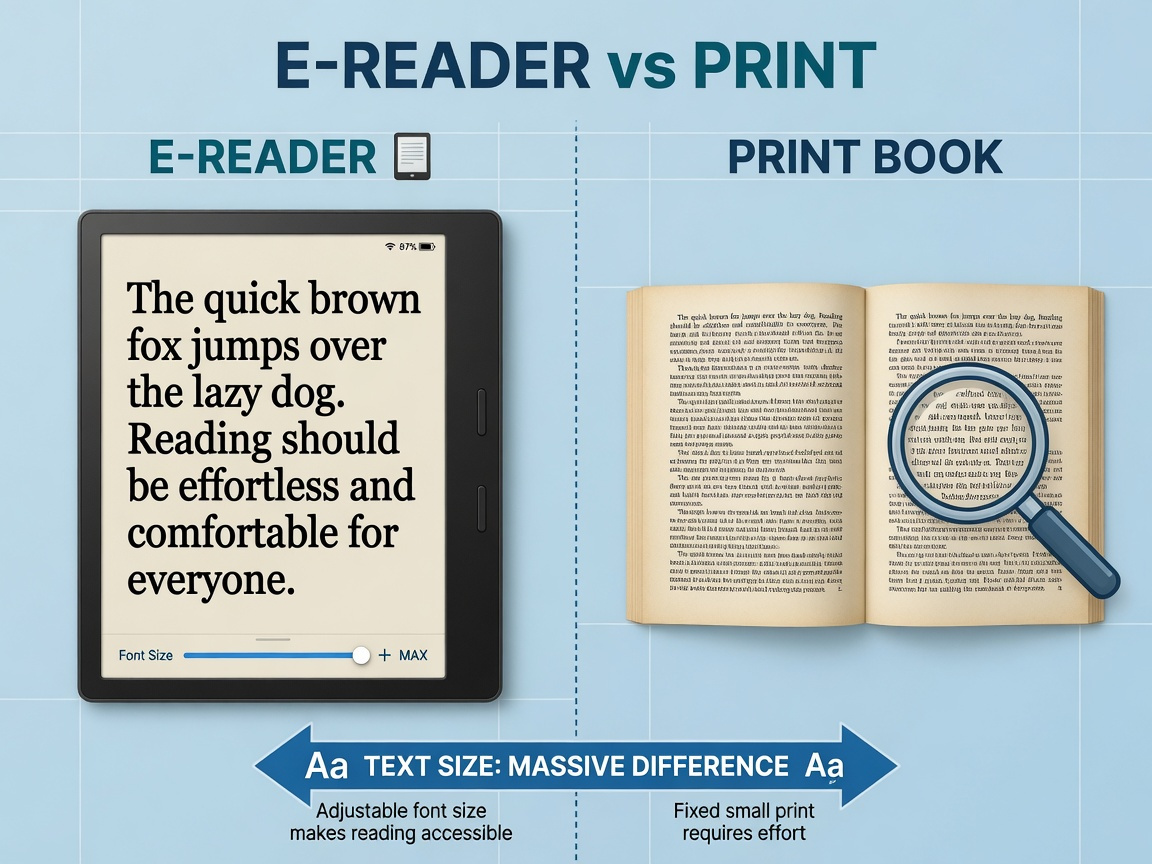
Reading has always been one of life’s great pleasures. But as eyes change with age, a beloved paperback can quietly become a source of frustration. E-readers solve that problem elegantly. You tap the screen and the text grows larger — no squinting, no magnifying glasses, no hunting for large-print editions at twice the price.
Reading regularly is associated with better cognitive function and emotional wellbeing in older adults. Three physical barriers commonly lead seniors to read less: poor lighting, small print, and books that are heavy to hold. E-readers remove all three at once.
In 2026, the technology has matured considerably. Displays are sharper than ever, rendering text at over 300 pixels per inch — sharper than most printed books. Battery life has extended to weeks rather than days. Library integration is seamless. And newer models include warm-light settings that are far gentler on aging eyes than the blue-tinted glow of phones and tablets. For seniors who love books, an e-reader is arguably the most impactful technology purchase they can make.
What Features Should Seniors Look for in an E-Reader?
Not all e-readers are created equal. Some cater to casual readers. Others pack in features that make them genuinely life-changing for seniors. Knowing what to look for makes the decision far simpler.
The most important feature is adjustable font size and style. Good e-readers let you scale text from small to very large in seconds. Some offer fonts specifically designed for low vision or dyslexia, such as OpenDyslexic. This flexibility means the device grows with your needs over time — a meaningful advantage over a large-print book that fixes you at one size forever.
Adjustable lighting is equally important. The best models in 2026 offer both brightness control and colour temperature adjustment. You can warm the light for evening reading, cutting the blue wavelengths that disrupt sleep. Reducing blue light exposure in the two hours before bed can support better sleep quality for older adults.
A glare-free e-ink display is non-negotiable. Unlike tablets, which use backlit LCD or OLED panels, e-ink displays reflect ambient light the way paper does. In bright sunlight or a well-lit living room, the text remains clear and comfortable. E-ink displays are designed to cause less eye strain than backlit screens over extended reading sessions — a real benefit if you love long afternoons with a good novel.
| Feature | Why It Matters for Seniors | What to Look For |
|---|---|---|
| Adjustable font size | Eliminates eye strain as vision changes | At least 8 size options; bold font support |
| E-ink glare-free display | Comfortable in any lighting, indoors or out | 300+ PPI resolution for crisp text |
| Warm-light adjustment | Reduces blue light; better for sleep | Colour temperature slider, not just brightness |
| Battery life | No daily charging anxiety | 4–10 weeks per charge |
| Library app support | Free books from your local library | Libby / OverDrive compatibility |
| Text-to-speech | Hands-free listening when eyes need a rest | Built-in speaker or headphone jack |
| Waterproof design | Safe to use by the pool or in the bath | IPX8 rating or equivalent |
| Light weight | Comfortable for extended one-hand reading | Under 220 grams |
Which Screen Size Works Best for Older Eyes?
Screen size is one of the most personal choices when selecting an e-reader. Seniors tend to fall into two camps: those who want portability and those who prioritise easy reading without touching font settings too often.
A 6- to 7-inch screen is the classic e-reader size. It fits in a coat pocket, slips easily into a handbag, and is comfortable to hold in one hand for long periods. The Kindle Paperwhite offers a 6.8-inch display — a sweet spot that adds a little extra reading area without becoming unwieldy. With font set to medium-large, most readers with mild vision changes find it perfectly comfortable.
A 7.8-inch screen is worth considering if you have more significant vision difficulties. The extra space means text is inherently larger at any given font size, and you can fit more words per line without sacrificing readability. The Kobo Libra Colour and the Barnes & Noble Nook Glowlight 4 Plus both sit in this range. They weigh a little more, but most seniors find the trade-off worthwhile.
For those who want maximum reading area, large-format e-readers with screens approaching 10 or 13 inches are available. These are excellent for PDFs, magazines, and illustrated books, though they are better suited to reading at a table than in bed. Most seniors tend to settle on the 7-inch range as a comfortable middle ground between portability and legibility.
Even large-print book editions can fall short when vision has a bad day. An e-reader solves that problem: font size can be pushed as large as needed, and the layout adjusts instantly.
How Do Accessibility Settings Help Seniors Read More Comfortably?
Modern e-readers are packed with accessibility features that go well beyond simple font enlargement. Once you know they exist, you can tailor the reading experience precisely to your needs — and the difference can be remarkable.
Font style options let you choose between serif fonts (like traditional book typography) and clean sans-serif fonts that many people find easier to read on screen. Several e-readers also offer OpenDyslexic, a specially designed typeface that increases letter differentiation for readers with dyslexia or similar visual processing challenges. Dyslexia-friendly typefaces are designed so that even small differences in letter shape help reduce misreading rates.
High-contrast and inverted display modes are a quiet superpower for readers with low vision. Switching to white text on a black background (dark mode) dramatically reduces the amount of light entering the eye and can be far more comfortable for extended evening reading. Many older adults experience some degree of contrast sensitivity change — making high-contrast display modes genuinely important rather than a novelty.
Text-to-speech is another feature that transforms the e-reader experience for many seniors. When eyes grow tired or arthritis makes holding the device uncomfortable, you can switch to audio and the device reads aloud to you. This blurs the line between e-reader and audiobook player in the best possible way. If you want to explore dedicated voice-activated technology that can complement your reading setup, the guide to voice assistants for seniors covers devices that work beautifully alongside an e-reader.
Physical accessibility matters too. E-readers with tactile page-turn buttons — like the Kobo Libra Colour or the Kindle Oasis — allow you to flip pages without touching the screen. For seniors with arthritic fingers or tremors, this is not a minor convenience. It is the difference between reading comfortably and not reading at all.
Can You Really Borrow Free Books from Your Library on an E-Reader?
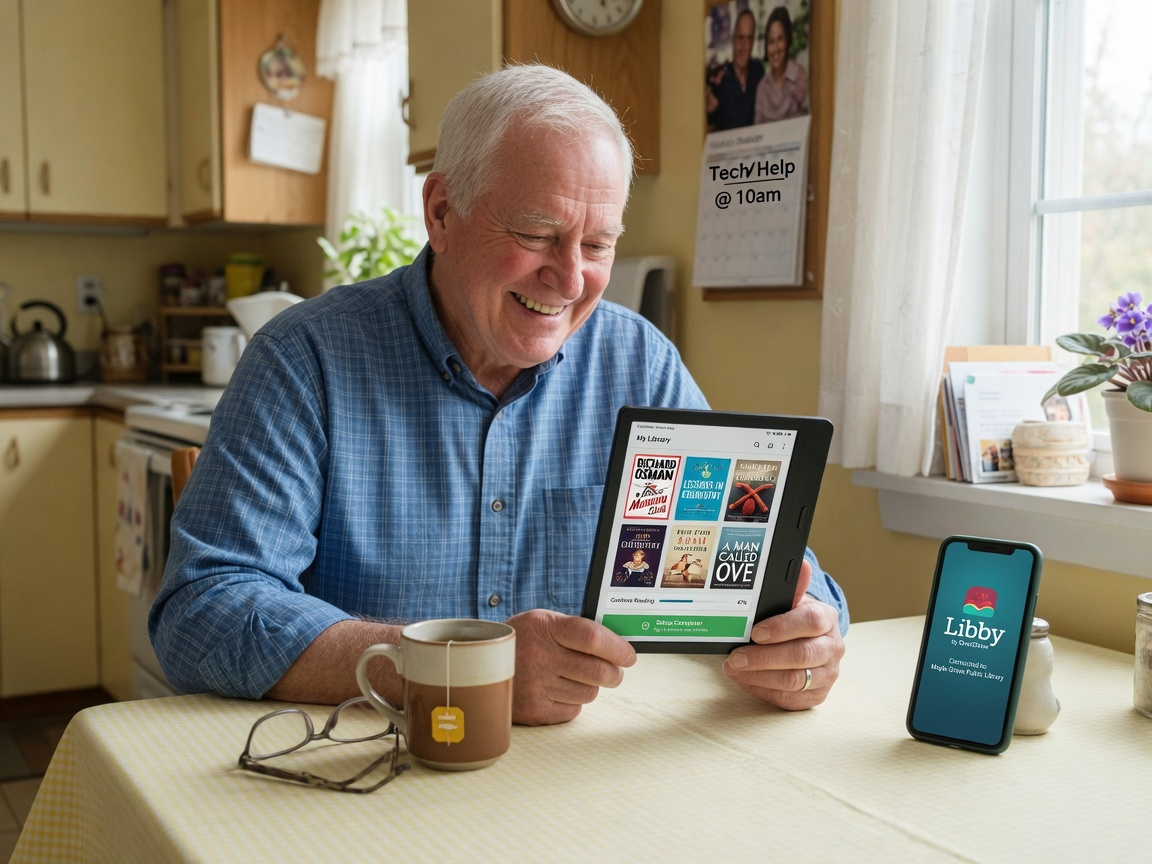
This is one of the most pleasant surprises for seniors new to e-readers. Yes — you can borrow free books from your local public library, right to your device, without leaving home. It works through an app called Libby, developed by OverDrive, and it is remarkably simple.
Here is how it works. You download the Libby app (Kobo devices have it built in; Kindle users access loans via the OverDrive web portal and they transfer directly to the device). You sign in with your library card number. Then you browse a digital catalogue that, in most cases, contains tens of thousands of e-books and audiobooks — all available to borrow for free, just as you would a physical book.
Libby currently connects to more than 16,000 library systems across North America, the UK, Australia, and beyond. Borrowed books automatically “return” themselves when the loan period ends — no fines, no trips out in bad weather, and no worrying about returning a heavy bag of hardbacks.
Many libraries also offer a service called Hoopla, which has no waitlists whatsoever. While Libby loans are subject to the same hold queues as physical copies (popular titles can have a short wait), Hoopla titles are instantly available. Between the two services, most senior readers find they rarely need to spend money on e-books at all.
Many seniors who have been unable to visit the library in person find that e-readers give them back their library — and often access to a much bigger digital catalogue than any branch could hold.
How Long Does an E-Reader’s Battery Actually Last?
Battery anxiety is real — and it is a completely unnecessary concern with a good e-reader. Unlike smartphones and tablets that need daily charging, e-readers are designed to last for weeks on a single charge.
The secret is e-ink technology. Unlike a backlit LCD or OLED display, an e-ink screen only uses power when the page changes. While you are reading a static page, the screen draws almost no electricity at all — around 0.5 watts during active reading, a fraction of what a tablet consumes. The result is battery life measured in weeks, not hours.
Real-world figures are genuinely impressive. The Kindle Paperwhite consistently delivers ten weeks of typical use at around 30 minutes of reading per day with wireless turned off. The Kobo Libra Colour offers around six to eight weeks under similar conditions. Even feature-rich Android-based models manage several weeks per charge.
For seniors, this matters enormously. There is no need to hunt for a cable before a trip, no scramble to charge before bed, and no risk of running out of power mid-chapter. You charge it roughly once a month and forget about it the rest of the time — making it one of the most genuinely low-maintenance devices you can own.
How Does an E-Reader Compare to a Tablet for Seniors Who Love Reading?
Tablets are wonderful devices. They handle email, video calls, games, and a hundred other things. But for reading specifically, an e-reader wins on almost every dimension that matters to seniors.
The most significant difference is the screen. Tablets use backlit displays that emit direct light into your eyes. E-readers use e-ink displays that reflect light — just like paper. In bright sunlight, a tablet screen becomes a glaring mirror. An e-reader remains perfectly legible in direct sun. For outdoor reading in a garden or on a sunny holiday, that distinction is enormous.
E-ink screens are designed to be easier on the eyes than backlit displays during extended reading sessions. Seniors who switch from reading on a tablet to reading on an e-reader often find they can read for considerably longer before their eyes feel tired. Weight is another factor — most e-readers weigh between 174 and 215 grams, while most tablets weigh between 450 and 700 grams. After an hour of one-handed reading in bed, that difference is very noticeable.
That said, tablets have their place. If you want to video call grandchildren, browse the web, or read illustrated magazines in full colour, a good tablet delivers things an e-reader cannot. The comprehensive guide to tablets for traveling seniors explores that side of the equation in depth — worth reading if you are weighing up both devices.
What Accessories Make an E-Reader Even Better for Seniors?
An e-reader out of the box is already a capable device. But a few well-chosen accessories can make it significantly more comfortable and practical for senior readers.
The most useful accessory is a protective case with a hand strap. Many e-reader cases include an elastic band on the back that loops around your hand, letting you hold the device securely without gripping tightly. For seniors with arthritis or reduced hand strength, this can dramatically extend comfortable reading time. Cases also protect the screen and, on many models, automatically wake the device when opened — a small but pleasing touch.
A screen protector is worth considering, especially for outdoor readers. Anti-glare screen protectors add a matte layer that softens reflections beyond what the e-ink screen already provides. They also guard against scratches if the device is dropped or slides against keys in a bag.
Seniors with more significant vision challenges may benefit from a clip-on reading light, even though most modern e-readers have built-in illumination. External lights add directional brightness to the surrounding reading area, reducing the contrast between the bright screen and a dim room — which itself reduces eye strain.
Finally, a lightweight bedside charging stand keeps the device powered, accessible, and ready without a cable hunt. If you travel, e-readers are superb companions for long journeys, and pairing yours with the right kit makes the trip even smoother — the roundup of essential travel gadgets for seniors covers a range of tech tools that work brilliantly alongside an e-reader on the road.
How Do You Set Up an E-Reader Step by Step?
Setting up an e-reader for the first time is simpler than most people expect. Follow these seven steps and you will be reading your first book within about fifteen minutes.
Charge the device fully. Plug your e-reader in before you begin. Most devices arrive partially charged. Starting from full gives you an accurate sense of how long the battery lasts and removes any first-day anxiety.
Power on and choose your language. Press the power button — usually on the bottom edge or the back. Select your language and regional settings from the menu. This takes about two minutes.
Connect to your home Wi-Fi network. Go to Settings → Wi-Fi, select your network name, and enter your password. After this, the device connects automatically every time you are at home.
Sign in or create an account. Kindle users sign into their Amazon account. Kobo users sign into a Kobo or Rakuten account. If you do not have one, the on-screen guide walks you through creating one in about five minutes.
Adjust font size and brightness immediately. Open any book, tap the text settings icon (usually labelled “Aa”), and push the font size up until the text feels immediately comfortable. Set brightness to match your room. You can refine both at any time.
Set up the Libby app for free library books. On Kobo, Libby is pre-installed. On Kindle, visit your library’s OverDrive or Libby portal on a phone or computer, sign in with your library card, borrow a book, and select “Send to Kindle” — it arrives on your device within seconds.
Download your first book and start reading. Browse the store or borrow from the library. Tap the cover to open. Tap the right side of the screen to turn the page forward; tap the left to go back. That is genuinely all there is to it.
What Do Experts Say About E-Readers and Senior Reading Health?
The professional consensus around e-readers and senior health is genuinely encouraging — not just for eye comfort, but for cognitive and emotional wellbeing too.
Regular reading is associated with slower cognitive decline in older adults — frequent readers appear significantly less likely to develop signs of dementia, an association that persists even after accounting for education and lifestyle. The barriers that prevent seniors from reading — eye strain, heavy books, the cost of new titles — are barriers genuinely worth removing.
Assistive technology specialists emphasise that the adjustability of e-readers is their defining advantage over every other reading format. Unlike large-print books, which commit to a fixed font size, an e-reader adapts to whatever the reader needs on any given day. That flexibility is especially valuable for seniors with progressive eye conditions, where needs can vary considerably from morning to evening.
E-readers put a whole library within reach of people who might otherwise have given up on books entirely — removing the physical barriers that prevent seniors from reading is genuinely worthwhile.
From an occupational therapy perspective, the combination of low weight, touch navigation, and adjustable text meets multiple accessibility needs simultaneously. Therapists working with seniors post-stroke or managing chronic pain increasingly recommend e-readers as part of daily activity planning — not as a gadget, but as a genuine quality-of-life tool.
The lightweight design means people with wrist or hand issues can read in positions that would be impossible with a hardcover. The text-to-speech feature means a bad-eye day does not have to mean no reading at all.
What Does the Future of E-Readers Look Like for Seniors in 2026 and Beyond?
E-reader technology is evolving faster in 2026 than at any point in the past decade. Several trends are particularly relevant for senior readers.
Colour e-ink displays are finally reaching mainstream quality. Early colour e-ink screens were pale and muddy. The 2025–2026 generation — seen in devices like the Kobo Libra Colour and Onyx Boox models — renders colour with enough vibrancy for illustrated books, graphic novels, and recipe collections. For seniors who love photography books or beautifully illustrated non-fiction, this is a meaningful step forward.
AI-assisted reading features are beginning to appear on higher-end devices. Some 2026 models now offer on-device AI that can summarise a chapter, define words in context, or read passages aloud with far more natural, expressive voices than earlier text-to-speech systems. This kind of integration is expected to deepen significantly through 2027.
Seamless audiobook integration means the line between e-reader and audiobook player is blurring. Devices like the Kindle Paperwhite now support Audible natively — you can switch between reading and listening with a single tap, picking up precisely where you left off in either format. For seniors who alternate depending on how their eyes feel on a given day, this is a genuine quality-of-life improvement.
Deeper accessibility design is a clear priority for manufacturers in 2026 and beyond. Following feedback from disability advocates and senior user groups, both Amazon and Kobo have committed to enhanced accessibility roadmaps, including improved screen reader support, better one-handed ergonomics, and voice-command navigation for users who find touchscreens challenging.
Frequently Asked Questions About E-Readers for Seniors
What is the easiest e-reader for seniors to use?
The Kindle Paperwhite is widely considered the most beginner-friendly e-reader for seniors. Its interface is clean and uncluttered, setup is fully guided, and its integration with Amazon’s store and Libby library borrowing is seamless. Kobo’s Libra series is an excellent alternative, particularly for seniors who prefer not to use an Amazon account — it has Libby built in from day one.
Can I get large-print books on an e-reader?
Yes — and e-readers go further than large print. Rather than choosing a fixed size, you adjust the font to any size you find comfortable, change the typeface, and increase line spacing and margins to your preference. Every book you download is effectively available in any print size you choose, instantly, at no extra cost. No hunting for special editions required.
Are e-readers difficult for seniors to set up?
Most seniors find e-readers straightforward to set up, particularly with a family member on hand for the initial Wi-Fi and account steps. Manufacturers have made the setup process progressively simpler over recent years. Many public libraries and senior centres now offer e-reader setup workshops specifically for older adults — worth asking about at your local branch.
Can I borrow books from my library for free on an e-reader?
Absolutely. The Libby app connects your library card to a digital catalogue of thousands of e-books and audiobooks. Kobo devices have Libby built in. Kindle users borrow via the OverDrive website and the book is delivered directly to the device. Most public libraries in the UK, US, Canada, and Australia participate. There are no late fees, and books return themselves automatically.
Is an e-reader better than a tablet for seniors who love reading?
For reading specifically, yes. E-readers use glare-free e-ink screens that are far easier on the eyes than backlit tablet displays. They weigh significantly less, last weeks on a single charge, and are purpose-built for long reading sessions. If you want a device primarily for books, an e-reader is the better choice. If you also want email, video calls, and apps, a tablet makes more sense — many seniors own both.
What screen size is best for seniors with vision problems?
Seniors with mild vision changes usually find 6.8-inch screens comfortable with font size increased. Those with more significant vision impairment often prefer 7- to 8-inch models, which provide a larger reading area at any given font size. If vision loss is severe, prioritising a model with strong text-to-speech alongside screen size gives you the most reading flexibility.
How often does an e-reader need charging?
Most quality e-readers need charging roughly once every four to ten weeks, depending on daily reading time and whether Wi-Fi is left on. Reading 30 minutes a day with wireless off, you can comfortably expect six to ten weeks per charge. This makes e-readers dramatically lower maintenance than smartphones or tablets, which need daily charging.
Can seniors with arthritis use an e-reader comfortably?
Yes, with the right setup. Choose a model with physical page-turn buttons — such as the Kobo Libra Colour or the Kindle Oasis — to avoid relying on touchscreen taps. Add a case with a hand strap to reduce gripping effort. The lightweight design, most e-readers weigh well under 220 grams, also reduces wrist strain considerably compared to holding a hardcover open for an extended session.
Your Next Chapter Starts Here
E-readers have quietly become one of the most transformative technology tools available to seniors in 2026. They remove the physical barriers that have caused so many older readers to read less — and they do it without requiring technical expertise or ongoing expense.
Whether your priority is large fonts, a free library connection, all-day outdoor reading, or hands-free listening on tired-eye days, there is a device designed with your needs in mind. The technology has matured to the point where even entry-level models are genuinely excellent.
Here is a simple sequence to get started:
- This week: Decide between a 6–7 inch or 7–8 inch screen based on your vision needs and how much portability matters to you.
- This weekend: Visit a local electronics store to hold a few models before buying — weight and grip comfort matter more than any spec sheet.
- Day one: Follow the seven-step setup guide above. You will be reading within fifteen minutes.
- First week: Set up Libby with your library card and borrow your first free book.
- First month: Experiment with font sizes, lighting modes, and dark mode to find your personal comfort combination.
If you travel regularly, an e-reader slots perfectly into a well-planned kit — the guide to must-have travel accessories for seniors covers everything else you might want for a comfortable, connected journey. The books you have been meaning to read are waiting. Your next great story is one tap away.